Manage technical debt with the SQALE Plugin for SonarQube Server
February 2, 2026
Managing technical debt is one of the biggest challenges for any development team. Without a clear strategy, errors accumulate, projects become hard to maintain, and correction costs skyrocket. This is where the SQALE Plugin for SonarQube™ comes in, a certified tool that brings back the SQALE method to efficiently and reliably assess and control technical debt.
What the SQALE Plugin does
The SQALE Plugin for SonarQube™ Server brings back an approach many developers missed: the SQALE model, aligned with ISO 25000 standards, designed to measure and manage code quality. With it, you can:
Define what generates technical debt in your project.
Accurately estimate the debt and its impact.
Analyze technical debt from both a technical and business perspective.
Prioritize remediation actions with optimized strategies.
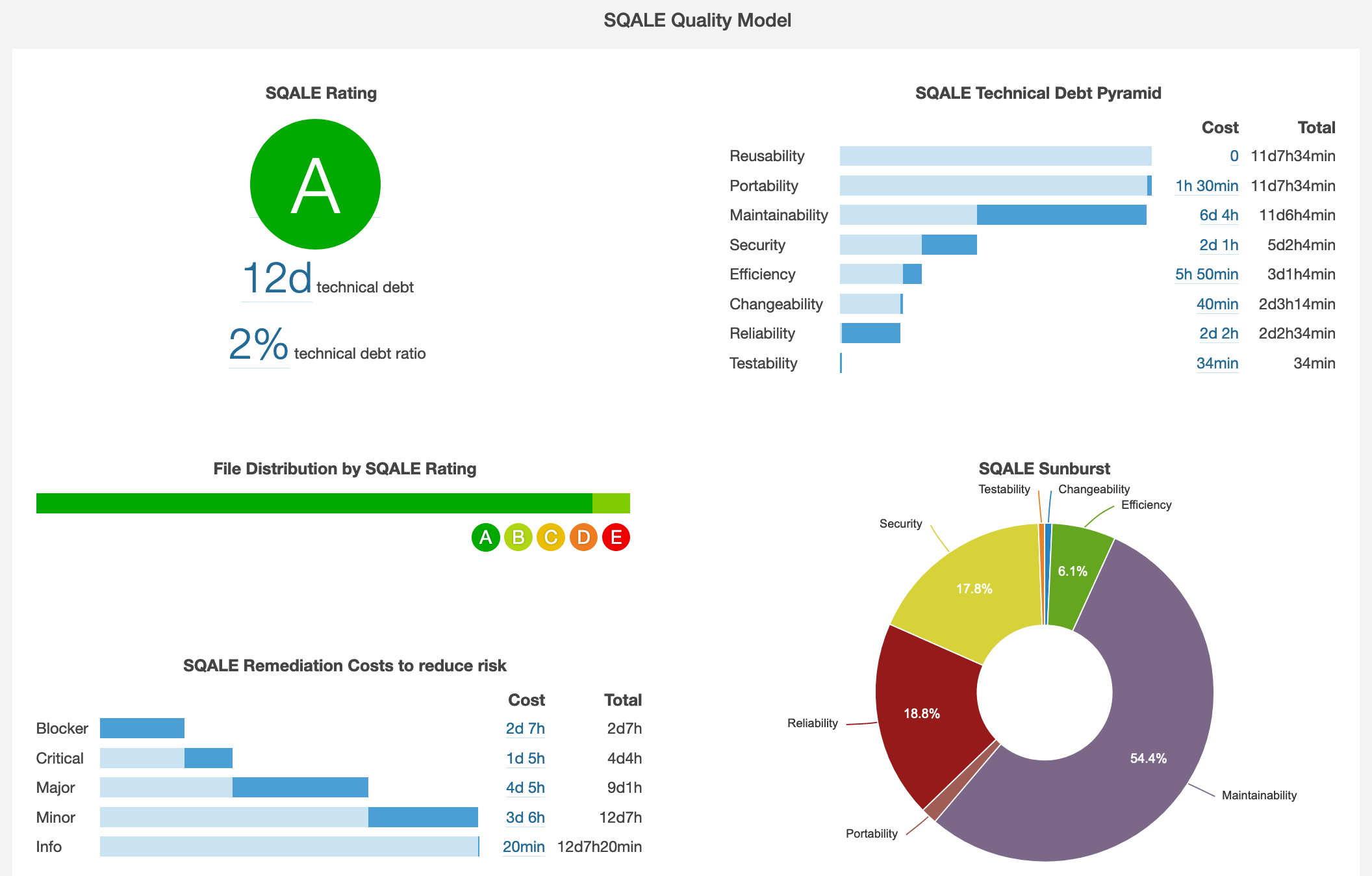
Additionally, the plugin includes dashboards and reports that display key metrics such as SQALE Rating, the Technical Debt Pyramid, remediation costs by risk, the Technical Debt Sunburst by feature, and the project’s evolution history. It also offers ROI charts to prioritize actions based on business impact.
How it helps manage technical debt
Thanks to SQALE, teams can have a clear and structured view of technical debt:
Objective measurement: Every error, vulnerability, or code smell is translated into days of technical debt and categorized according to characteristics such as maintainability, testability, reliability, security, reusability, portability, and efficiency.
Strategic prioritization: ROI charts help decide which issues to address first based on their actual business impact.
Historical tracking: The SQALE history dashboard shows how debt evolves over time, facilitating continuous improvement planning.
Flexibility: You can use default quality models or create your own by tagging rules according to the SQALE characteristics you need to assess.
In short, the SQALE Plugin turns technical debt into a measurable and manageable asset, not just a lingering problem.
How to try it on your SonarQube instance
Trying the SQALE Plugin is simple and quick:
Download and installation: Access the bitegarden Marketplace and download the plugin compatible with your SonarQube™ version.
Activate in your project: Once installed, activate it on the projects you want to monitor and define the SQALE model (default or customized).
Explore the dashboards: Navigate through the different panels: SQALE Rating, Technical Debt Pyramid, Sunburst, and ROI Strategy Chart to familiarize yourself with the data.
Start prioritizing actions: Use technical debt data to plan your remediation strategy and continuously improve your software quality.
With the SQALE Plugin, your team gains clarity, control, and efficiency in managing technical debt, taking your software quality to the next level.
bitegarden team
Helping companies to develop better software