New sections now available in the bitegarden Marketplace!
July 9, 2026
If you use SonarQube Server or SonarQube Cloud, finding complementary solutions to improve development quality, security, and productivity is not always easy. That is why we continue evolving the bitegarden Marketplace, the place where you can find plugins for SonarQube, by adding new features that make it easier to discover, purchase, and share solutions for the Sonar ecosystem.
With this update, we are introducing two important new features:
-
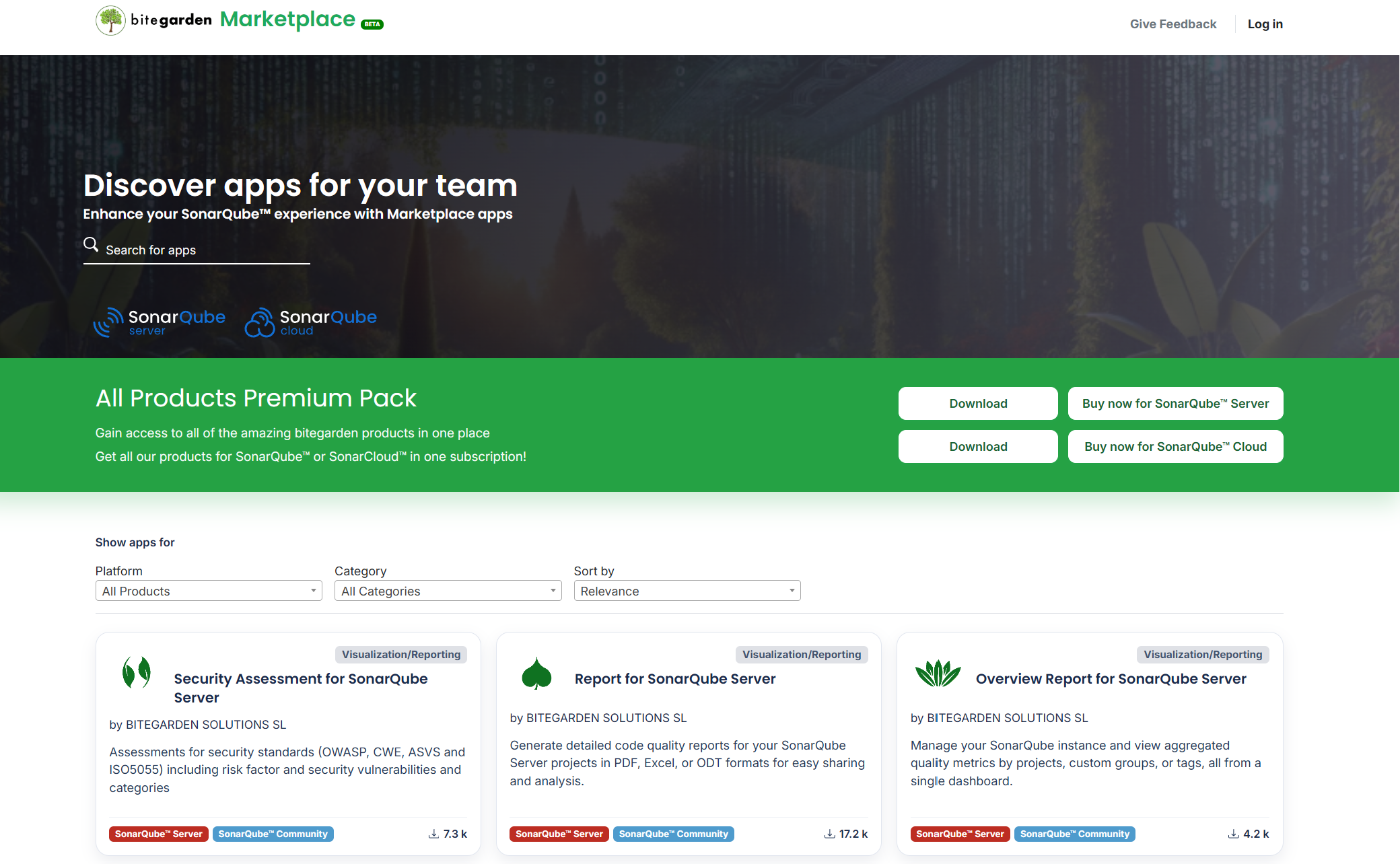
bitegarden Premium Packs, which allow you to purchase all plugins or products with a 20% discount.
-
External Integrations, a new category to discover tools that complement SonarQube even if they are not installed directly in it.
In this article, we explain what these new features include, how to use them, and the benefits they provide for both users and developers.
bitegarden Premium Packs: all products at a discounted price
You can now download the bitegarden Premium Packs from the Marketplace. These packs allow you to purchase all SonarQube Server or SonarQube Cloud products with a 20% discount compared to buying each product individually.
This option is designed for organizations that want to take full advantage of the entire bitegarden catalog without having to purchase each product separately.
New category: External Integrations
The second major new feature is the addition of a new section within the marketplace: External Integrations. Until now, the bitegarden Marketplace was mainly focused on plugins that are installed directly in SonarQube.
With this new category, the goal is much broader. It now showcases tools that work alongside SonarQube even if they are not part of its installation.
This opens the door to discovering solutions that complement code analysis through automation, integration with other platforms, report generation, artificial intelligence, process management, or any other related service.
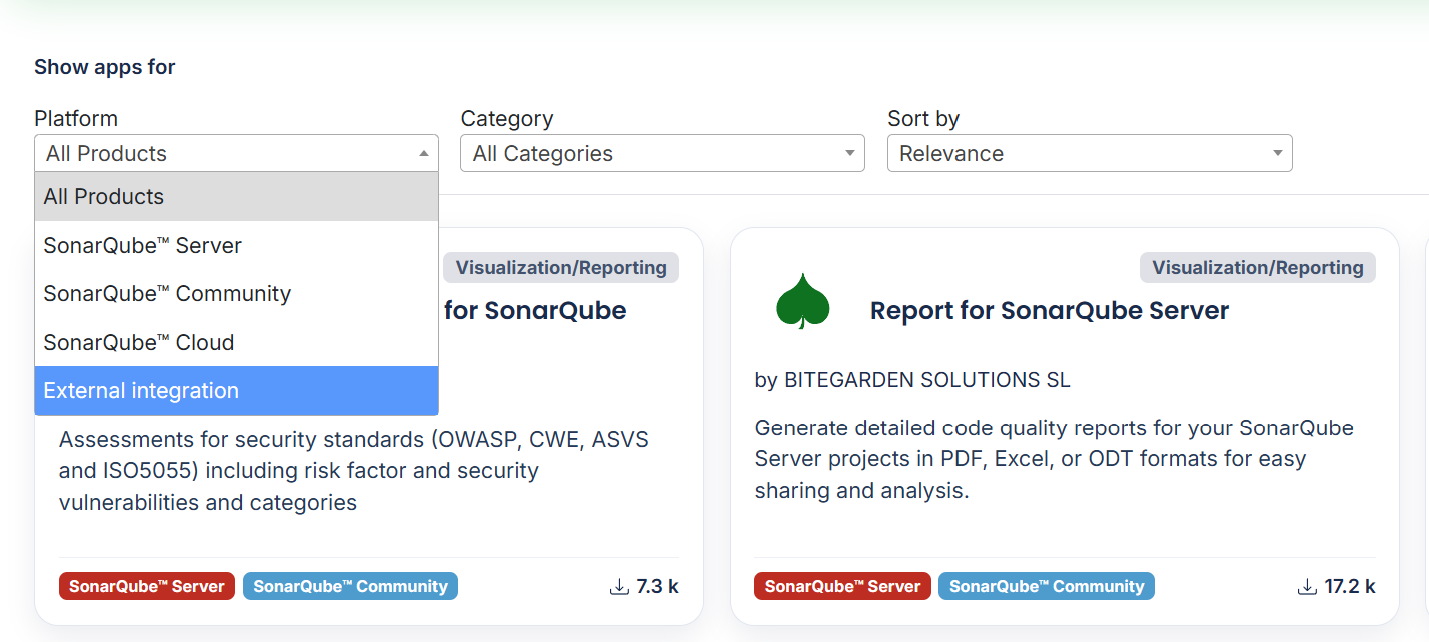
If you want to explore this new section, simply configure the Show Apps for -> Platform -> External Integrations filter.
That’s all the latest news for now. We look forward to seeing you in the bitegarden Marketplace!
bitegarden team
Helping companies to develop better software