How to create a PDF report for SonarQube's Multi Quality Rule (MQR) Mode
December 9, 2025
SonarQube is an essential tool for code quality analysis. With version 3.0 of the Overview Report Plugin for SonarQube™ Server, you can now generate PDF reports compatible with the Multi Quality Rule (MQR) mode, providing a more comprehensive view of your projects’ quality.
What is the Overview Report for SonarQube Server?
The Overview Report Plugin for SonarQube™ Server helps provide an aggregated view of project metrics. With this plugin, you can group different projects, gaining a clearer perspective on the software quality status across your organization.
This plugin offers a dedicated and navigable interface for different project groupings: grouping the entire instance, by custom groups defined in the configuration, or using project tags.
What is the Multi Quality Rule (MQR) mode?
SonarQube’s MQR mode provides a more accurate way to represent the impact of an issue on all software qualities, assigning an independent severity to each rule according to each quality it affects. This allows you to:
-
Clearly see the impact of each issue on all software qualities, not just the most affected one.
-
Evaluate quality issues in a more complete and objective way.
What does each severity level mean?
-
Blocker: Issue with a high probability of severe consequences for the application that must be fixed immediately (includes bugs causing production failures or critical security vulnerabilities).
-
High: Issue with high impact that should be resolved as soon as possible.
-
Medium: Issue with medium impact.
-
Low: Issue with low impact.
-
Info: Issue with no expected impact; for informational purposes only.
How to generate a PDF report from SonarQube
To download your report, follow these steps:
Check if MQR mode is enabled.
-
Install the Overview Report Plugin for SonarQube™ Server.
-
Log in to your SonarQube instance. Go to the main menu and click on More. If the plugin is installed correctly, you will see different Overview tabs.
-
Click, for example, on Overview All Projects and select Download PDF.
Here’s an example of the PDF you can generate:
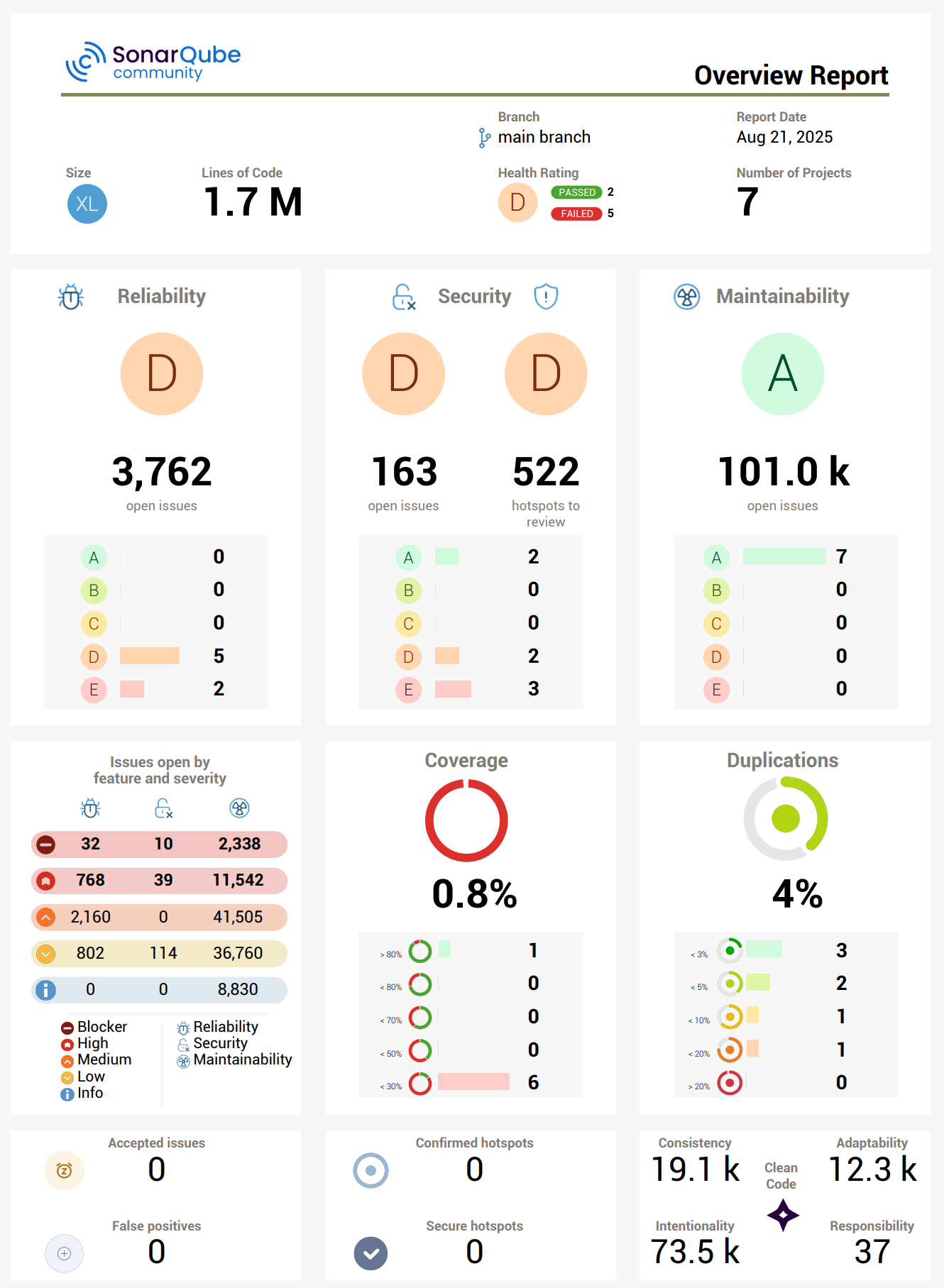
The Overview Report Plugin for SonarQube™ Server, combined with MQR mode, allows you to generate PDF reports that accurately reflect the impact of issues across all software qualities. This makes decision-making easier, improves project status communication, and supports continuous improvement in your software quality.
bitegarden team
Helping companies to develop better software